Pickr
Browse, edit and organize photos and videos on your device.
- APK size
- 61.0 MB
- Asks to use
- Photo and video library, Device biometrics, Keep device awake

Browse, edit and organize photos and videos on your device.
| App | What it does | APK size | Asks to use |
|---|---|---|---|
| Pickr | Browse, edit and organize photos and videos on your device. | 61.0 MB | Photo and video library, Device biometrics, Keep device awake |
Browse, edit and organize photos and videos on your device.
Local release-candidate APK file sizes, not Google Play download sizes.
ed1c52d5b5c8b86c0f631f6f748076021ef451b711332a5f51ba0d8c31db1034APK size is the file size, not installed storage or a Google Play download estimate. Permissions are build declarations; some apply only to optional features or older Android versions.
App-private receiver permission identifiers are described by purpose. The internal measurement record retains their exact names.
android.permission.READ_EXTERNAL_STORAGEandroid.permission.READ_MEDIA_IMAGESandroid.permission.READ_MEDIA_VIDEOandroid.permission.READ_MEDIA_VISUAL_USER_SELECTEDandroid.permission.USE_BIOMETRICandroid.permission.WAKE_LOCKandroid.permission.WRITE_EXTERNAL_STORAGEApp-private receiver protection (signature only; no user prompt)App interface: English.
Browse and organize local photos and videos, edit a copy, manage folders and favorites, and use optional access locks without an app account.
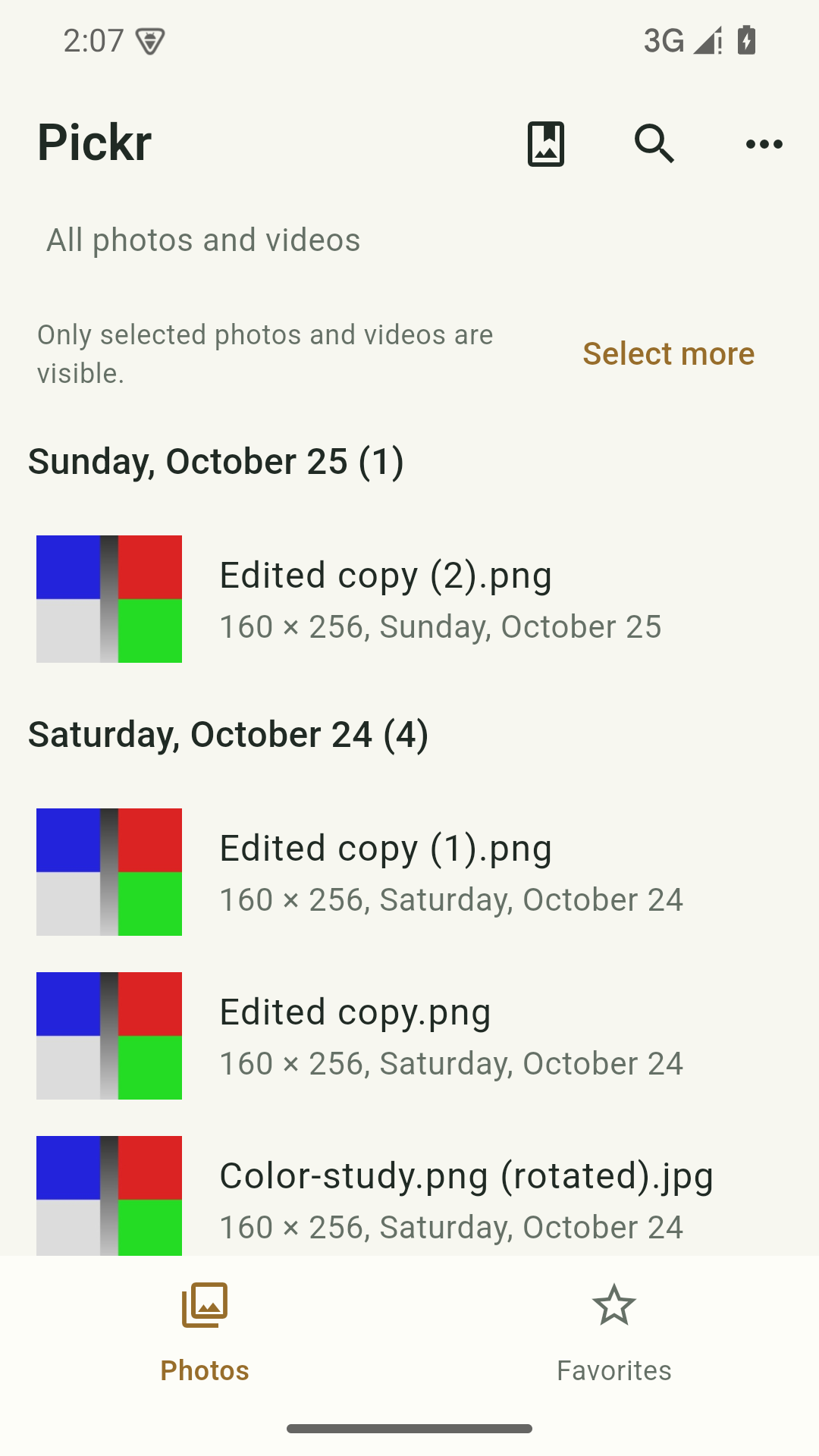
Use albums, search, favorites and slideshows with full or Android-limited photo access.
Crop, adjust, apply supported effects and add markup while keeping the source image.
Use supported batch copy/move, SD-card/document-provider actions and Android trash/restore.
Set supported hidden-folder, PIN, pattern or biometric rules within Pickr.
Android 7.0 or later. No account or connection is required. Available file and trash actions depend on Android version, media permission and provider.
Media remains local unless you initiate sharing or a file-provider transfer. In-app locks do not encrypt shared media or remove other apps’ access.
Read the full privacy policy (English)Last updated:
Pickr is provided under the Safeeas brand. This policy covers its local-first Android tool functions.
Device photos and videos, album and folder information, favorites, file properties, edit choices and local access-control preferences. Frequent media access serves the app’s core gallery and organization functions.
This release has no Internet permission and no advertising or publisher-operated content upload, account or synchronization service. Local content is not automatically sent to Safeeas.
Grant full or selected photo/video access as you prefer; a limited grant limits the visible library. Editing, copying, moving and trash actions use Android or document-provider consent where required. Optional biometric authentication returns a result, not your fingerprint or face template.
Sharing, editing a copy, copying and moving media are initiated by you. Edited images are saved as new files. Document-provider destinations can be cloud-backed and follow that provider’s policy. Pickr does not add a cloud account or automatic media upload.
Use the relevant Android trash/restore or provider controls for shared media. On older supported Android versions, private trash can be lost when app storage is erased. Clearing Pickr storage removes private preferences and locks but does not erase shared originals or external copies. Back up important media before destructive file actions.
No application account, email, password or subscription is required to use the local tools. This release has no account registration, sign-in, cloud backup or automatic synchronization. We do not create an application account that would require a separate account-deletion request.
Private records remain until you delete them, replace them using a supported restore, clear storage or uninstall. Android automatic app backup is disabled. Exported copies, original shared media and recipient/provider copies have their own retention and must be managed separately. Safeeas cannot recover unbacked-up local records.
Android private storage restricts ordinary access by other apps. The app does not add an app-wide encryption layer to local content or readable exports. Protect your device and chosen destinations. PIN, pattern, biometrics and hidden-folder rules restrict access inside Pickr; they do not encrypt system media or revoke other apps’ existing access. You can revoke permissions in Android Settings. A file picker or share sheet can hand selected material to an application with its own Internet access. Review that recipient before sharing private content. There is no publisher-operated sensitive-content upload in this release.
Local locks are not an encrypted media vault. Format support, file transfers and video editing depend on the supported format and Android provider. Media trash is not an independent backup.
This app is intended for people aged 13 and over, including teenagers, and is not designed for children under 13. Local tool functions do not require a name, age or application account. We do not verify ages or provide an in-app parental-control service. We do not operate child profiles, messaging, a public community or advertising in this release. Teenagers should review optional permissions and export destinations with a parent or guardian when appropriate. Parents or guardians can manage device permissions and remove local records using Android controls. Contact us about privacy concerns without sending a young person’s private content unnecessarily.
If you email xiaozhu7888@gmail.com, your email provider and ours process your address and the message you choose to send for support. Avoid sending recordings, private photos or documents unless necessary for your request. Support email is separate from local tool use; the app does not send an email automatically.
Privacy and support contact: xiaozhu7888@gmail.com. Last updated: 24 October 2026. We will update this policy before enabling new account, network or upload functionality. Review the linked provider policies for their own processing terms.
Public release is in preparation. A verified Google Play or download link will appear here after release checks are complete.