Focus Grove
Focus timers, session records and an optional distraction guard.
- APK size
- 162.6 KB
- Asks to use
- Notifications and reminders, Optional accessibility guard

Focus timers, session records and an optional distraction guard.
| App | What it does | APK size | Asks to use |
|---|---|---|---|
| Focus Grove | Focus timers, session records and an optional distraction guard. | 162.6 KB | Notifications and reminders, Optional accessibility guard |
Focus timers, session records and an optional distraction guard.
Signed APK / Android 8.0 or later. Compare the SHA-256 below with your downloaded file.
915b8311e74ce8e00a01230cf1d712e4ca2704a755364e67393a26c8a2f29d31APK size is the file size, not installed storage or a Google Play download estimate. Permissions are build declarations; some apply only to optional features or older Android versions.
App-private receiver permission identifiers are described by purpose. The internal measurement record retains their exact names.
android.permission.POST_NOTIFICATIONSandroid.permission.RECEIVE_BOOT_COMPLETEDandroid.permission.BIND_ACCESSIBILITY_SERVICEApp interface: English.
Turn an intention into a focused session. Focus Grove pairs a timer with a growing plant collection, session history, ambient sound, and an optional distraction guard.
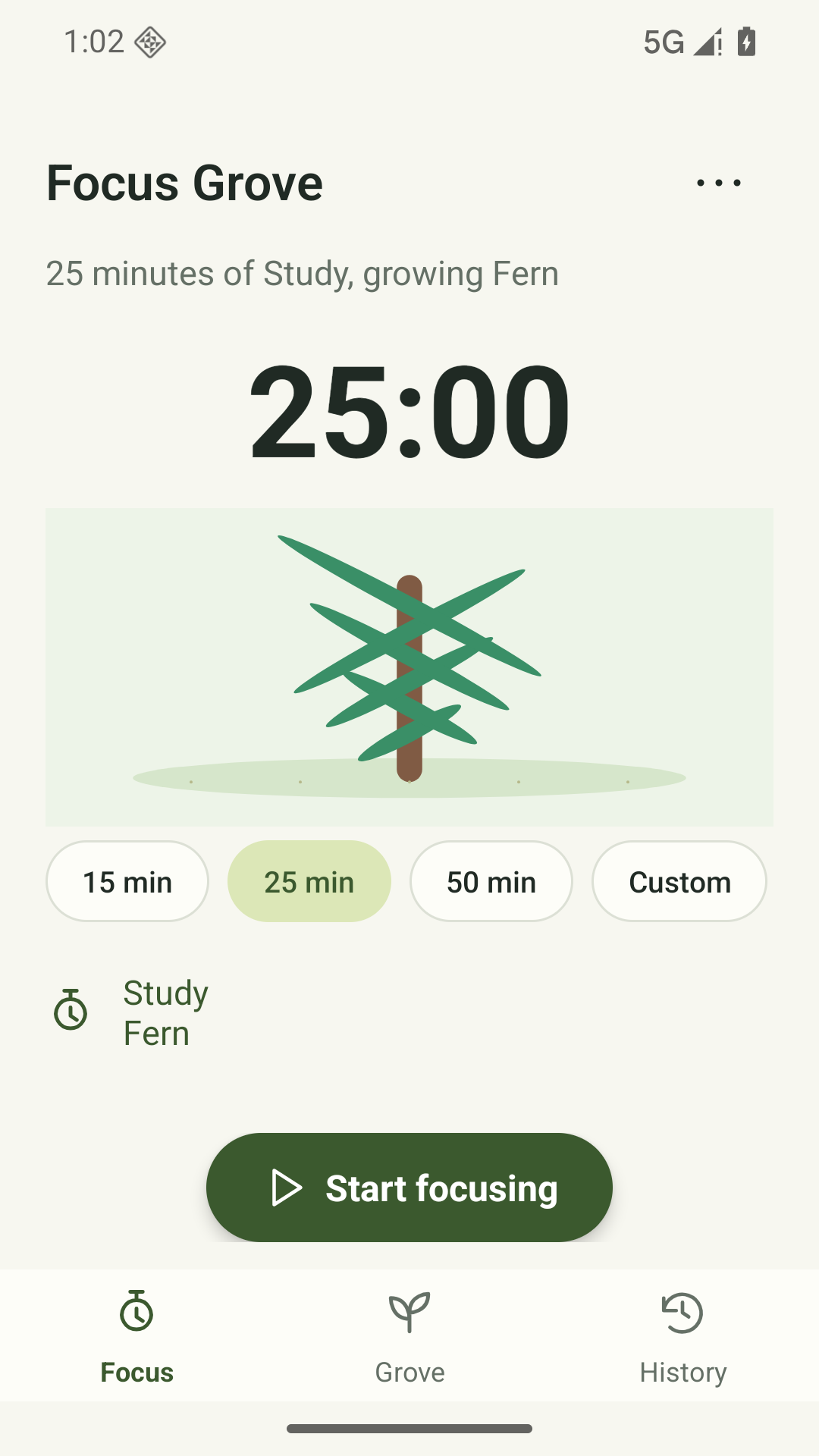
Choose a focus duration and follow your growing plant while the timer runs.
Build a plant collection and revisit completed sessions in month and year history.
Play generated rain or white noise while you focus.
Choose the distraction guard when you want extra help staying with a session. It requires explicit Android accessibility permission.
Android 8.0 or later. No login or network connection is required. The optional distraction guard requires a separately enabled accessibility service.
Sessions and settings stay on your device. This version has no account, cloud sync, automatic upload, advertising or app analytics SDK. Export and restore sessions and settings with a local JSON backup. The optional accessibility guard observes the foreground app and can return you to Android Home during an active, unpaused timer; it is not used to upload your activity.
Read the full privacy policy (English)Last updated:
Focus Grove is published by Safeeas. This privacy policy describes the current local-first Android app and how your information is handled.
Timer state, completed and abandoned sessions, dates, duration, tags, local grove progress, notification choices, ambient-audio preferences, and apps you select for the optional distraction guard. To run your focus timer, display session history and your grove, play local ambient audio, and apply the distraction rule you enable.
Focus Grove has no Internet permission. This version does not transmit your focus records or app usage to Safeeas and includes no advertising or product-analytics SDK.
Optional notifications provide timer-completion alerts; boot/time-change events recover local scheduling. The optional distraction guard uses Android AccessibilityService access. You choose apps, read a separate disclosure, and enable the service in Android settings. It reads only window-change event type and the foreground app package name. During an active, unpaused timer, a fixed rule returns to Android Home if you open a selected app. It cannot retrieve window contents or perform gestures and does not read screen text, typing or screenshots. Package names and selected-app settings stay local; they are not sent to Safeeas. Essential system, Settings, launcher, phone and emergency apps are excluded. Turn the guard off in Focus Grove or disable its accessibility access in Android settings. The timer works without it.
Settings > Backup / restore sessions exports a readable JSON backup containing session history, your last tag and selected apps. Restoring replaces local session history. Protection remains off after restore until you enable it on that device. Backups are not encrypted. Imported backups are checked against this app’s supported backup format and data rules. Replacing current local records requires confirmation. These local/manual exports are not an app-managed end-to-end encrypted backup service.
Use History > Delete session to remove a session and its associated seeds/tree. To erase the complete session history, selected apps and other settings, use Android Settings > Apps > Focus Grove > Storage > Clear storage, or uninstall Focus Grove.
You do not need an account. This app has no account registration, sign-in, cloud backup or automatic synchronization. No app-managed record upload is enabled. Safeeas does not receive your local records through an account service.
Local records remain until you delete them, replace them by restoring a backup, clear app storage or uninstall the app. The app disables Android automatic app backup. Keep your own backup before destructive changes. Exported files, shared recipient copies and original files held by other apps are outside the app’s private storage; delete those separately. An uninstall cannot recall a file you have shared. Safeeas cannot recover unbacked-up local records.
Android private app storage restricts ordinary access by other apps. App records are not protected by an additional app-wide encryption layer; device security still matters. Protect the device and any export destination. A system file picker can include third-party cloud-storage providers; choosing one transfers the exported file under that provider’s rules. The chosen provider controls that transfer and its stored copy; delete the copy separately with that provider. The app does not add advertising, advertising identifiers or behavioral-tracking SDKs. Android, Google Play and apps you explicitly choose may process information under their own policies.
Focus Grove is a productivity timer. Its grove and ambient sounds are not medical treatment, mental-health assessment or a substitute for professional care.
This app is intended for people aged 13 and older, including teenagers. It is not intended for children under 13. The app does not ask for a date of birth, verify age or provide parental controls. Where local law requires a parent or guardian’s consent, obtain that consent before using the app or sending personal information to support. A parent or guardian can help a younger user manage local records and remove them using the same deletion controls. An age of 13 does not by itself establish that a user is an adult under local law.
Your local app records are not automatically sent to Safeeas. If you choose to email xiaozhu7888@gmail.com, we receive your email address, the message and any attachments you send. We use that correspondence to respond to your question, troubleshoot the issue or handle your privacy request. Email is handled through the email providers used by you and Safeeas under their own privacy practices. We retain support correspondence while the request is being handled and delete it after resolution unless a limited follow-up or legal record needs to be retained. You can ask us to delete support correspondence at the same address; any information that must be retained for a legal reason will be explained in our response. Do not send passwords or other secrets.
For privacy questions, support or a request concerning support correspondence, email Safeeas at xiaozhu7888@gmail.com. Include the app name and a brief description of your request; avoid sending diary contents, health records, document scans or other sensitive attachments unless needed to resolve the issue. This policy was last updated on 24 October 2026. We will update it to explain material changes before enabling new data uploads or account features.
Focus Grove 0.5.1 (6) is available as a direct APK download.
Signed APK / Android 8.0 or later. Compare the SHA-256 below with your downloaded file.
915b8311e74ce8e00a01230cf1d712e4ca2704a755364e67393a26c8a2f29d31Version: 0.5.1 (6) / Android 8.0 or later / English app interface.
Download the APK from this page and open it. Android may ask you to allow this browser or file manager to install apps. Allow this installation source only if you trust it; you can turn that permission off after installation. If Android reports a security warning or blocks installation, stop and contact support.
Before updating, export a JSON backup in Settings > Privacy & data > Backup / restore sessions and keep it safe. Use Android’s Update option with the same package (com.safeeas.focusgrove) and signing certificate. Older private test packages are separate apps and do not migrate automatically. Keep the old app and use its backup/restore controls. If Android refuses the update, stop and contact support; do not uninstall or clear storage to force it.
No account is needed. Focus Grove has no Internet permission, cloud sync, automatic upload, advertising or app analytics. The optional distraction guard is off by default. It uses sensitive Android accessibility access only after your separate consent and Android settings authorization: it reads foreground app package names and can return selected apps to Home during an active, unpaused session. It cannot read window contents or perform gestures. You can turn it off or revoke access at any time; the timer works without it. Backups contain session history and selected apps in readable JSON. A cloud provider selected in the file picker may receive that backup; protect and delete its copy separately.
Installation help: xiaozhu7888@gmail.com. Include Android version and the error; do not send session history, selected-app lists or backups.