Paper Scan
Scan pages, edit images, recognize Latin text and export documents.
- APK size
- 45.7 MB
- Asks to use
- Nothing

Scan pages, edit images, recognize Latin text and export documents.
| App | What it does | APK size | Asks to use |
|---|---|---|---|
| Paper Scan | Scan pages, edit images, recognize Latin text and export documents. | 45.7 MB | Nothing |
Scan pages, edit images, recognize Latin text and export documents.
Local release-candidate APK file sizes, not Google Play download sizes.
490102704ffdefdd0642471023c1e0f3ce0b0dc72f2bb5e5aebf1fac164fa84cAPK size is the file size, not installed storage or a Google Play download estimate. Permissions are build declarations; some apply only to optional features or older Android versions.
App-private receiver permission identifiers are described by purpose. The internal measurement record retains their exact names.
App-private receiver protection (signature only; no user prompt)App interface: English.
Give receipts, notes, and everyday paperwork a more useful home. Paper Scan brings camera and image import together with crop controls, enhancement, text recognition, and document export.
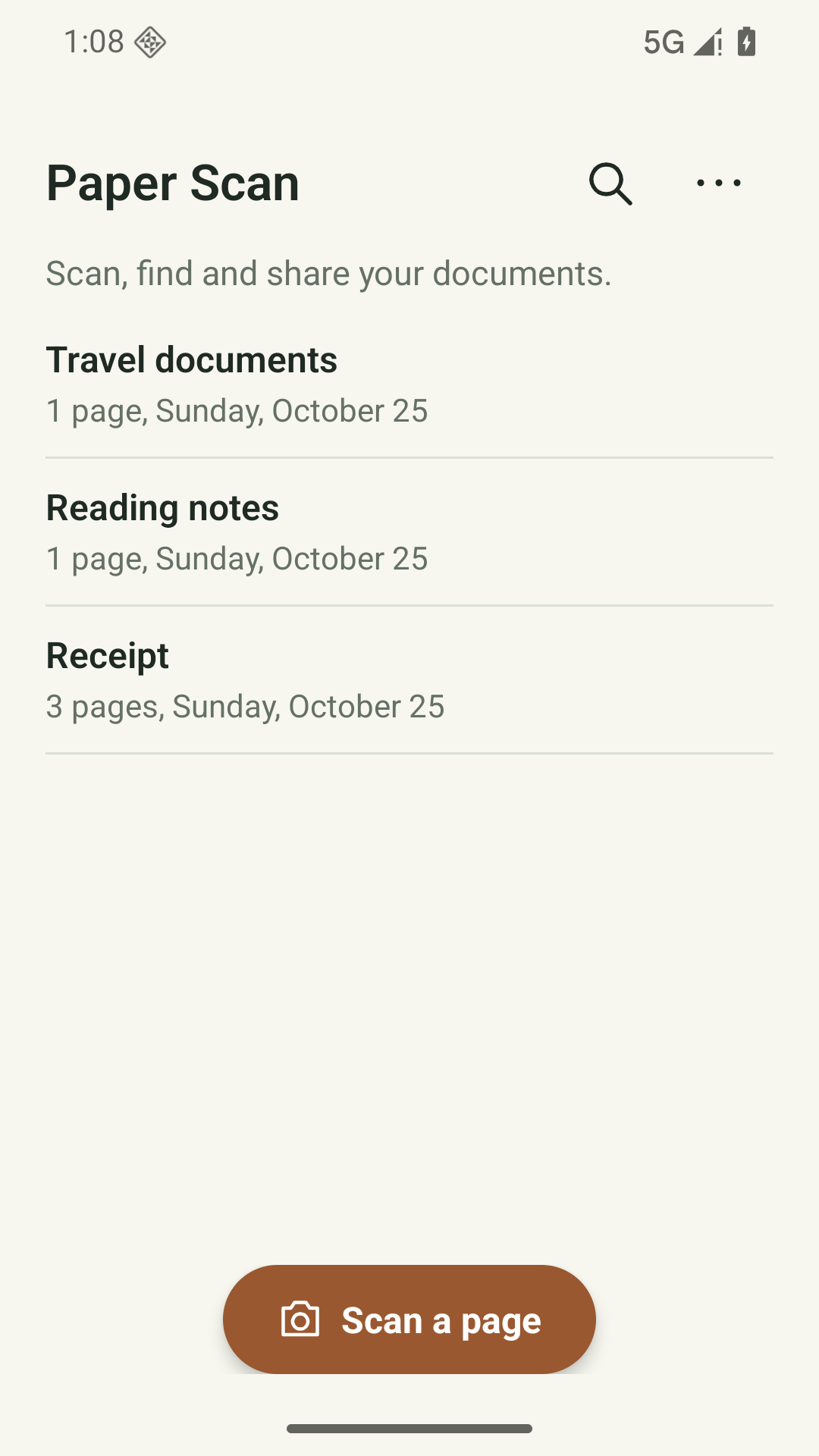
Capture from the camera or import an image, then crop and correct its perspective.
Apply enhancement and optional conservative edge suggestions, adjusting the result yourself.
Run local Latin text recognition and export searchable Latin PDFs or real DOCX documents.
Draw a visual signature and export the document for sharing.
Android 8.0 or later. No login is required. Camera access is needed to capture pages; the system picker can import images or PDFs. Bundled recognition targets Latin text.
Scans and recognized text stay on your device, with no account, cloud sync or automatic document upload. OCR uses bundled Google ML Kit only after an explanation and confirmation. Images are processed on-device. The SDK includes diagnostic and usage collection code, including device or installation identifiers. This app has no Internet permission, blocking its direct uploads; Google Play services diagnostics may still apply. No advertising or app analytics SDK is added.
Read the full privacy policy (English)Last updated:
Paper Scan is published by Safeeas. This privacy policy describes the current local-first Android app and how your information is handled.
Document names, original imported or captured page images, page order, crop and rotation choices, image adjustments, handwritten visual marks, and text extracted with optional recognition. Imported PDF pages become images; the source PDF structure is not preserved. To organize, edit, recognize and export your documents on this device.
Optional text recognition uses bundled Google ML Kit and runs on this device. Google states that recognition input images and results are not sent to its servers. Safeeas does not operate an upload service for your scans. This version blocks the app's own Google diagnostic upload backend through Android configuration; Paper Scan also has no Internet permission. Independent Google Play services diagnostics may still process technical version, event status and timing data. This is not a Google-wide diagnostics opt-out. Google documents HTTPS for its ML Kit metrics. See the linked Google provider policies.
Capture uses the installed camera app through Android; Paper Scan does not request its own camera permission. Image/PDF import and exports use Android system file pickers without broad file or photo permissions. Sharing grants the chosen recipient access to the selected file. Text recognition is optional and asks for confirmation before Google ML Kit is initialized. You can cancel and continue scanning and exporting without OCR.
For the latest ML Kit SDKs, Google lists device manufacturer/model, Android version/build, available machine-learning hardware accelerators, app package/version and per-installation identifiers. It also lists latency, API configuration such as image format/dimensions, input/output sizes, feature version, initialization/download/detection/release events and error codes, for diagnostics, usage analysis and operating/improving its APIs. These are provider disclosure groups, not fields observed being sent by this version after its own diagnostic backend was blocked.
You can decline the optional Google feature before it starts. The app blocks its own Google diagnostic upload backend, but independent Google Play services and recognition/scanner modules may still process diagnostics. The app has no separate setting for using the feature with all Google diagnostics switched off. These choices do not guarantee deletion of diagnostics already queued by Google Play services or processed by Google. Google's feature guidance does not specify a diagnostics retention period or a deletion route that Safeeas can operate. Consult the linked provider policies; local deletion is not a promise of provider deletion.
You can export/share selected scans as PDF or JPG and export recognized text, searchable PDF or Word documents. ZIP backups include original images, edits and extracted text and are not encrypted. Ordinary exports are readable. PDF export offers optional password protection using AES-256; protect the password yourself. This does not encrypt local originals, backups, JPG, text or Word exports. Handwritten marks are visual ink, not cryptographic signatures. Imported backups are checked against this app’s supported backup format and data rules. Replacing current local records requires confirmation. These local/manual exports are not an app-managed end-to-end encrypted backup service.
Delete documents or pages inside Paper Scan to remove their local records and associated private images. To remove all app files and settings, use Android Settings > Apps > Paper Scan > Storage > Clear storage, or uninstall Paper Scan. Deleting an imported copy does not delete its original in another app.
You do not need an account. This app has no account registration, sign-in, cloud backup or automatic synchronization. No app-managed record upload is enabled. Safeeas does not receive your local records through an account service.
Local records remain until you delete them, replace them by restoring a backup, clear app storage or uninstall the app. The app disables Android automatic app backup. Keep your own backup before destructive changes. Exported files, shared recipient copies and original files held by other apps are outside the app’s private storage; delete those separately. An uninstall cannot recall a file you have shared. Safeeas cannot recover unbacked-up local records.
Android private app storage restricts ordinary access by other apps. App records are not protected by an additional app-wide encryption layer; device security still matters. Protect the device and any export destination. A system file picker can include third-party cloud-storage providers; choosing one transfers the exported file under that provider’s rules. The chosen provider controls that transfer and its stored copy; delete the copy separately with that provider. The app does not add advertising, advertising identifiers or behavioral-tracking SDKs. Android, Google Play and apps you explicitly choose may process information under their own policies.
Paper Scan is a general document tool. It does not diagnose documents, interpret medical results or provide healthcare.
This app is intended for people aged 13 and older, including teenagers. It is not intended for children under 13. The app does not ask for a date of birth, verify age or provide parental controls. Where local law requires a parent or guardian’s consent, obtain that consent before using the app or sending personal information to support. A parent or guardian can help a younger user manage local records and remove them using the same deletion controls. An age of 13 does not by itself establish that a user is an adult under local law.
Your local app records are not automatically sent to Safeeas. If you choose to email xiaozhu7888@gmail.com, we receive your email address, the message and any attachments you send. We use that correspondence to respond to your question, troubleshoot the issue or handle your privacy request. Email is handled through the email providers used by you and Safeeas under their own privacy practices. We retain support correspondence while the request is being handled and delete it after resolution unless a limited follow-up or legal record needs to be retained. You can ask us to delete support correspondence at the same address; any information that must be retained for a legal reason will be explained in our response. Do not send passwords or other secrets.
For privacy questions, support or a request concerning support correspondence, email Safeeas at xiaozhu7888@gmail.com. Include the app name and a brief description of your request; avoid sending diary contents, health records, document scans or other sensitive attachments unless needed to resolve the issue. This policy was last updated on 24 October 2026. We will update it to explain material changes before enabling new data uploads or account features.
Public release is in preparation. A verified Google Play or download link will appear here after release checks are complete.