Meal Track
Log food, recipes and water; plan meals and review nutrition totals.
- APK size
- 464.9 KB
- Asks to use
- Camera, Internet, Notifications and reminders
Log food, recipes and water; plan meals and review nutrition totals.
| App | What it does | APK size | Asks to use |
|---|---|---|---|
| Meal Track | Log food, recipes and water; plan meals and review nutrition totals. | 464.9 KB | Camera, Internet, Notifications and reminders |
Log food, recipes and water; plan meals and review nutrition totals.
Local release-candidate APK file sizes, not Google Play download sizes.
b8aa5586d023e43e8b03ef4a1cabf3a73815bafa1996240eab3d8d91f1042b86APK size is the file size, not installed storage or a Google Play download estimate. Permissions are build declarations; some apply only to optional features or older Android versions.
App-private receiver permission identifiers are described by purpose. The internal measurement record retains their exact names.
android.permission.CAMERAandroid.permission.INTERNETandroid.permission.POST_NOTIFICATIONSandroid.permission.RECEIVE_BOOT_COMPLETEDApp interface: English.
Build a picture of your own routine. Meal Track keeps meals, recipes, portions, water, weight, and exercise together, with quantified plans and a shopping list to help you prepare ahead.
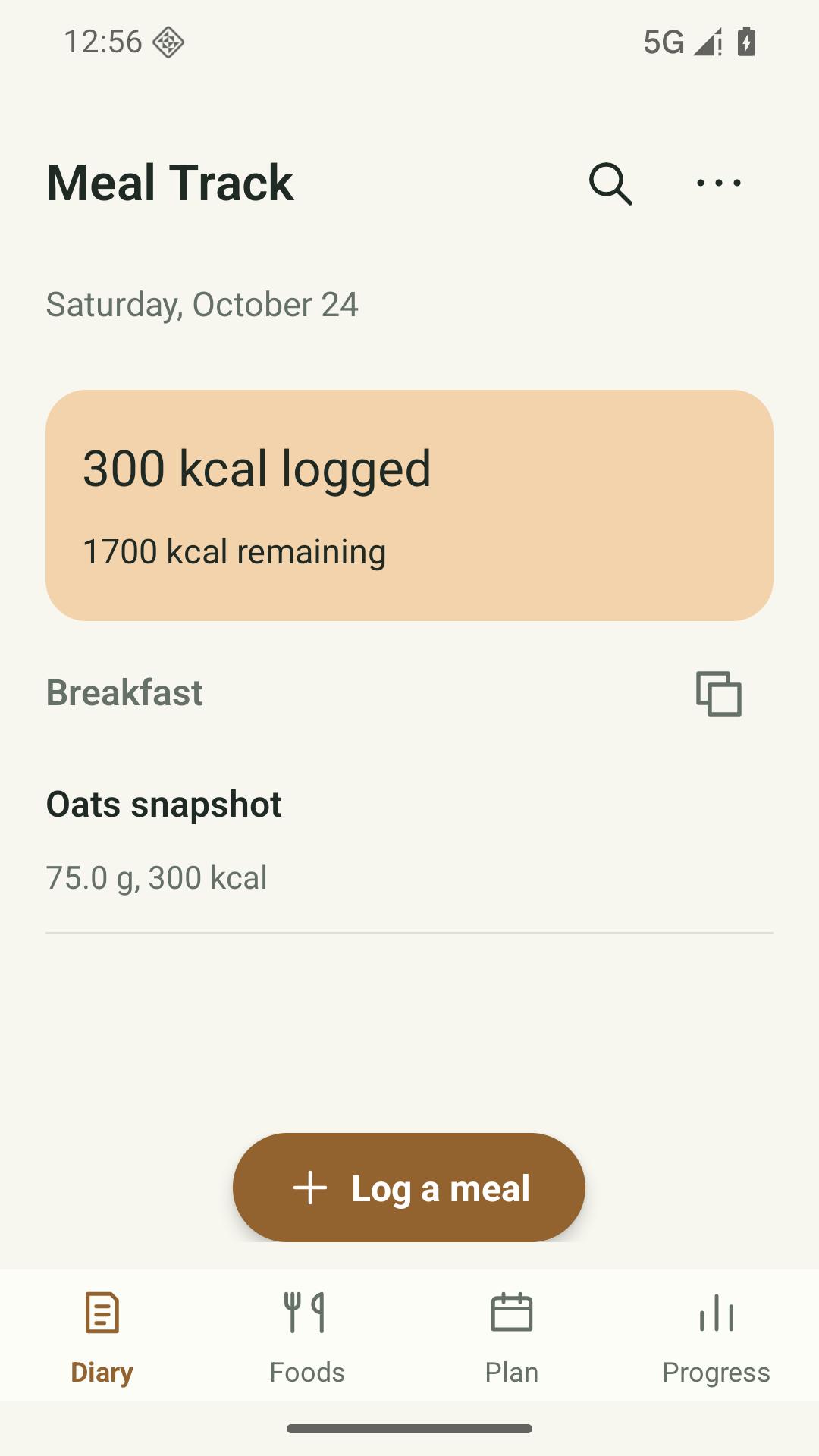
Record food and recipes using grams, kilograms, weight ounces, calibrated servings, or recipe fractions.
Create quantified meal plans and shopping lists, then log planned meals with duplicate-safe controls.
Copy a whole meal and reuse saved recipes as your routine evolves.
Track macros, water, weight, and exercise, with optional device-local meal and water reminders.
Android 8.0 or later. No login is required. Optional offline camera scanning needs camera permission; manual barcode entry also works. Optional Open Food Facts searches/lookups need a network connection and separate confirmation. Local reminders require notification permission.
Food and health records stay on your device, with no account, cloud sync or automatic diary upload. The bundled EAN/UPC camera scanner works offline without Google services or downloads. It asks for camera permission when used and does not save or upload camera images or codes. Only a separately confirmed search or product barcode is sent to Open Food Facts over HTTPS (ODbL). Manual barcode entry is available. No advertising or analytics SDK is added.
Read the full privacy policy (English)Last updated:
Meal Track is published by Safeeas. This privacy policy describes the current local-first Android app and how your information is handled.
Foods and recipes you save, nutrition values, meal diary entries and portions, dates, calorie and nutrient goals, water and weight records, estimated exercise records, meal plans, shopping notes, pantry stock and local reminder settings. To track and summarize the records you enter, plan meals, manage shopping/pantry lists, and deliver reminders you enable.
Local diary functions and camera barcode decoding work offline. Public food search and barcode lookup contact Open Food Facts only after you confirm each request. The app sends the confirmed search text or product barcode over HTTPS with a generic app identifier; the service also receives network information such as the request's IP address. Open Food Facts documents IP-based API limits. Your local diary, weight, exercise logs and goals are not included. Do not put private information in a public food query. Scanning alone makes no online request. Catalogue results are supplied by Open Food Facts contributors under ODbL and must be checked against the package. Provider retention/deletion and any further processing are governed by its policy; Safeeas cannot promise immediate deletion of provider logs.
Camera permission is requested only when you choose Continue to camera after the offline scanner explanation. It is used for an on-device preview and barcode recognition. You can deny permission or cancel and enter a barcode manually in Foods. Camera hardware is optional. Optional notifications provide local meal/water reminders; boot/time-change events reschedule them. No microphone, location, body-sensor, Health Connect or broad media/storage access is requested. No food-photo estimation or health-device integration is connected.
The camera scanner bundles ZXing decoding software and works without Google Play services, an account, network access or downloaded recognition components. Camera frames and recognized codes are processed in memory and are not saved or uploaded by the scanner. Only EAN and UPC product formats are accepted; links are not opened. An accepted code is displayed in a separate online-lookup confirmation. UPC-E codes are expanded to the equivalent UPC-A product code before that confirmation. Declining lookup keeps it local and does not change the diary.
Meal Track no longer includes the Google scanner, ML Kit or its diagnostic transport libraries. The offline scanner has no analytics or telemetry service. This describes the current app, not a device-wide network block: Android, installed Google services and other apps can operate independently under their own policies. Replacing the scanner does not delete information that an older app version or a provider may already have processed. ZXing and its Android camera integration are distributed under Apache License 2.0; full notices are available offline in Settings > Privacy & data > Open-source licences.
Settings > Privacy & data provides a JSON backup/restore and diary CSV/PDF exports. Backups and exports are readable and are not encrypted. Restoring replaces the local diary after confirmation. Imported backups are checked against this app’s supported backup format and data rules. Replacing current local records requires confirmation. These local/manual exports are not an app-managed end-to-end encrypted backup service.
Use the app’s remove/delete controls for diary entries, foods, plans and measurements where available. To remove all local records and settings, use Android Settings > Apps > Meal Track > Storage > Clear storage, or uninstall Meal Track.
You do not need an account. This app has no account registration, sign-in, cloud backup or automatic synchronization. No app-managed record upload is enabled. Safeeas does not receive your local records through an account service.
Local records remain until you delete them, replace them by restoring a backup, clear app storage or uninstall the app. The app disables Android automatic app backup. Keep your own backup before destructive changes. Exported files, shared recipient copies and original files held by other apps are outside the app’s private storage; delete those separately. An uninstall cannot recall a file you have shared. Safeeas cannot recover unbacked-up local records.
Android private app storage restricts ordinary access by other apps. App records are not protected by an additional app-wide encryption layer; device security still matters. Protect the device and any export destination. A system file picker can include third-party cloud-storage providers; choosing one transfers the exported file under that provider’s rules. The chosen provider controls that transfer and its stored copy; delete the copy separately with that provider. The app does not add advertising, advertising identifiers or behavioral-tracking SDKs. Android, Google Play and apps you explicitly choose may process information under their own policies.
Meal Track is for general nutrition and activity tracking. It is not a medical device and does not diagnose, treat, cure or prevent any medical condition. Nutrition data, calorie estimates and example goals may be inaccurate or unsuitable for you. Goals are entered by the user and are not calibrated for a teenager’s age or development. Consult a qualified healthcare professional for medical advice and for guidance before changing dietary or weight goals, especially for a younger user.
This app is intended for people aged 13 and older, including teenagers. It is not intended for children under 13. The app does not ask for a date of birth, verify age or provide parental controls. Where local law requires a parent or guardian’s consent, obtain that consent before using the app or sending personal information to support. A parent or guardian can help a younger user manage local records and remove them using the same deletion controls. An age of 13 does not by itself establish that a user is an adult under local law.
Your local app records are not automatically sent to Safeeas. If you choose to email xiaozhu7888@gmail.com, we receive your email address, the message and any attachments you send. We use that correspondence to respond to your question, troubleshoot the issue or handle your privacy request. Email is handled through the email providers used by you and Safeeas under their own privacy practices. We retain support correspondence while the request is being handled and delete it after resolution unless a limited follow-up or legal record needs to be retained. You can ask us to delete support correspondence at the same address; any information that must be retained for a legal reason will be explained in our response. Do not send passwords or other secrets.
For privacy questions, support or a request concerning support correspondence, email Safeeas at xiaozhu7888@gmail.com. Include the app name and a brief description of your request; avoid sending diary contents, health records, document scans or other sensitive attachments unless needed to resolve the issue. This policy was last updated on 24 October 2026. We will update it to explain material changes before enabling new data uploads or account features.
Public release is in preparation. A verified Google Play or download link will appear here after release checks are complete.