CalcLab
Scientific and symbolic calculations, conversions, graphs and image recognition.
- APK size
- 303.7 MB
- Asks to use
- Nothing
Scientific and symbolic calculations, conversions, graphs and image recognition.
| App | What it does | APK size | Asks to use |
|---|---|---|---|
| CalcLab | Scientific and symbolic calculations, conversions, graphs and image recognition. | 303.7 MB | Nothing |
Scientific and symbolic calculations, conversions, graphs and image recognition.
Local release-candidate APK file sizes, not Google Play download sizes.
35670fc923a6df8bc6400e5d3058c32459283cc6be0c043837c1d30d236f2180APK size is the file size, not installed storage or a Google Play download estimate. Permissions are build declarations; some apply only to optional features or older Android versions.
App-private receiver permission identifiers are described by purpose. The internal measurement record retains their exact names.
App-private receiver protection (signature only; no user prompt)CalcLab bundles offline formula models and libraries for multiple CPU types. One local ARM64 split test measured about 136 MB; this is not an official Google Play download size.
App interface: English.
Use a precision calculator and mathematical workbench, explore supported graphs and equations, or review formulas recognized locally from an image.
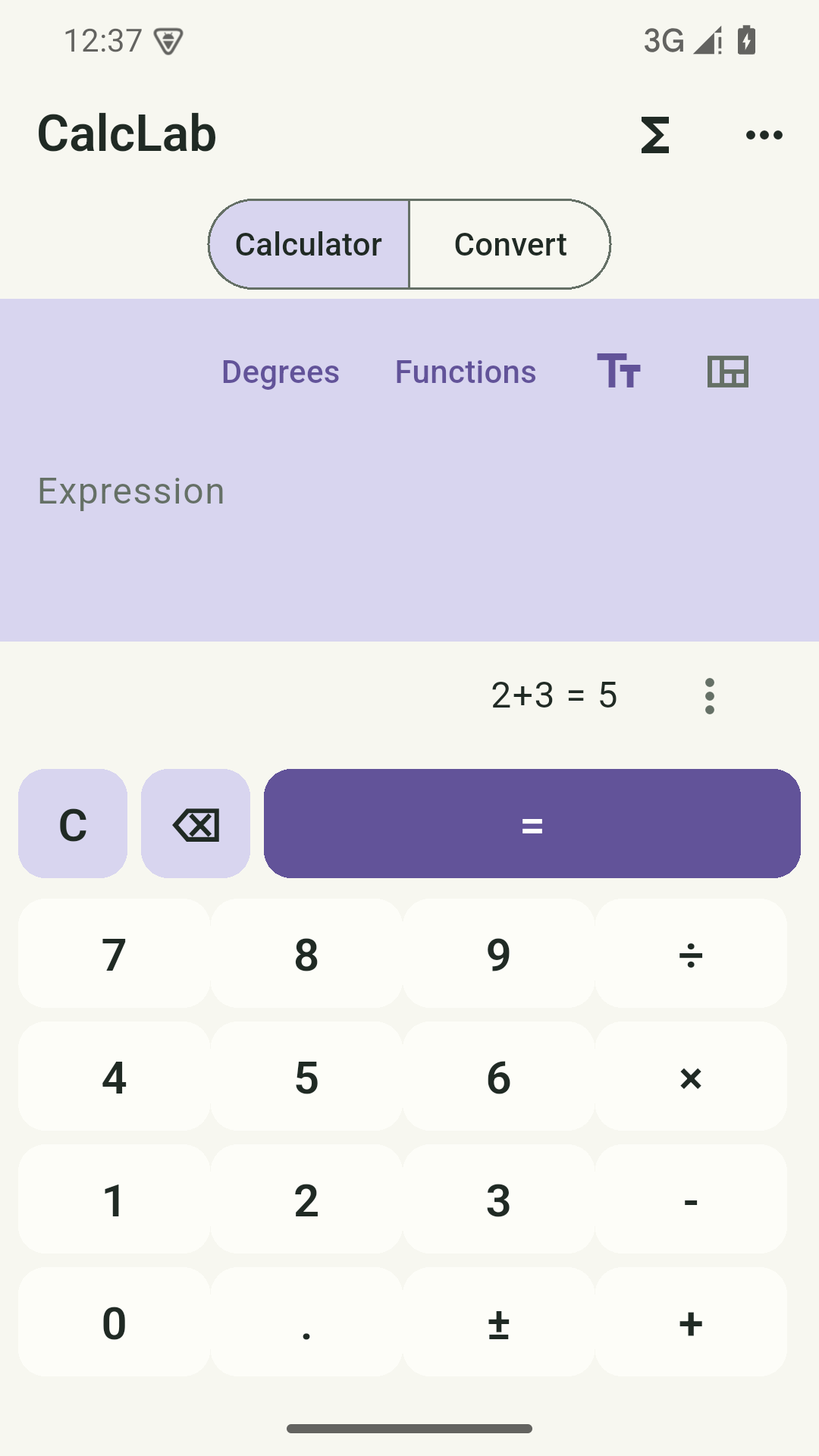
Work with supported precision expressions, variables, functions, constants and units.
Use supported equation, inequality, calculus, matrix, complex-number and graph tools with explicit domain limits.
Bundled formula models recognize selected printed or handwritten mathematical images. Review the result before using it.
Read supported explanations, graph values and saved history, all without an application account.
Android 7.0 or later. Local mathematics needs no account or connection. Image recognition uses bundled models; optional capture opens the system camera app.
Calculations and images are processed locally. ONNX Runtime telemetry is disabled. Google ML Kit’s separate diagnostic path may involve Google Play services; see the policy.
Read the full privacy policy (English)Last updated:
CalcLab is provided under the Safeeas brand. This policy covers its local-first Android tool functions.
Expressions, history, variables, functions, graph settings and images selected or captured for formula recognition. Bundled formula models run on the device. Recognition results require review and can be wrong.
This release has no Internet permission and no advertising or publisher-operated content upload, account or synchronization service. Local content is not automatically sent to Safeeas. It includes Google ML Kit, which can initialize at startup. Google documents device and app diagnostics, usage metrics and installation identifiers. Some diagnostics can be handed to Google Play services, which has separate permissions. Removing this app’s Internet permission does not guarantee that diagnostic path is blocked. No supported in-app switch disables all of that SDK diagnostic path. Recognition itself runs on the device. Static review does not establish that a particular diagnostic was transmitted. ONNX Runtime’s automatic Android telemetry initializer is removed, and its native telemetry is disabled before formula-recognition sessions are created.
Optional capture opens the system camera application; CalcLab does not request direct camera permission. Image selection uses Android pickers. Mathematical recognition uses bundled Pix2Text models and ONNX Runtime; a separate Latin-text fallback uses bundled Google ML Kit.
Use the supported local history and copy/share controls. Exported text and files are readable and are not end-to-end encrypted by CalcLab. A recipient or chosen document provider controls its own copies.
Delete history and saved values using the app controls, or clear Android app storage/uninstall for all private records. Original selected images and previously exported or shared copies are separate and are not removed by clearing CalcLab.
No application account, email, password or subscription is required to use the local tools. This release has no account registration, sign-in, cloud backup or automatic synchronization. We do not create an application account that would require a separate account-deletion request.
Private records remain until you delete them, replace them using a supported restore, clear storage or uninstall. Android automatic app backup is disabled. Exported copies, original shared media and recipient/provider copies have their own retention and must be managed separately. Safeeas cannot recover unbacked-up local records. Third-party SDK diagnostic retention and deletion are governed by the linked provider policies; this app does not provide a remote SDK deletion control.
Android private storage restricts ordinary access by other apps. The app does not add an app-wide encryption layer to local content or readable exports. Protect your device and chosen destinations. You can revoke permissions in Android Settings. A file picker or share sheet can hand selected material to an application with its own Internet access. Review that recipient before sharing private content. There is no publisher-operated sensitive-content upload in this release.
Calculations and recognition are fallible and limited to the supported mathematical domain. Review inputs and results; do not rely on them for medical, financial, engineering-safety or other high-stakes decisions without independent verification.
This app is intended for people aged 13 and over, including teenagers, and is not designed for children under 13. Local tool functions do not require a name, age or application account. We do not verify ages or provide an in-app parental-control service. We do not operate child profiles, messaging, a public community or advertising in this release. Teenagers should review optional permissions and export destinations with a parent or guardian when appropriate. Parents or guardians can manage device permissions and remove local records using Android controls. Contact us about privacy concerns without sending a young person’s private content unnecessarily.
If you email xiaozhu7888@gmail.com, your email provider and ours process your address and the message you choose to send for support. Avoid sending recordings, private photos or documents unless necessary for your request. Support email is separate from local tool use; the app does not send an email automatically.
Privacy and support contact: xiaozhu7888@gmail.com. Last updated: 24 October 2026. We will update this policy before enabling new account, network or upload functionality. Review the linked provider policies for their own processing terms.
Public release is in preparation. A verified Google Play or download link will appear here after release checks are complete.